
Campaigns
Scheduling WhatsApp Campaigns
Campaigns
Scheduling WhatsApp Campaigns
Learn how to effectively schedule and manage your WhatsApp campaign timing for optimal engagement
Proper scheduling is crucial for the success of your WhatsApp campaigns. This guide covers how to schedule your campaigns for maximum impact.
When to Schedule Campaigns
Best Times to Send
- Business Hours: 10 AM - 6 PM in the recipient’s timezone
- Weekdays: Tuesday-Thursday typically see higher engagement
- Time Zones: Consider your audience’s local time
Factors to Consider
- Your audience’s daily routines
- Time zone differences
- Industry-specific peak times
- Previous campaign performance data
How to Schedule a Campaign
During Campaign Creation
-
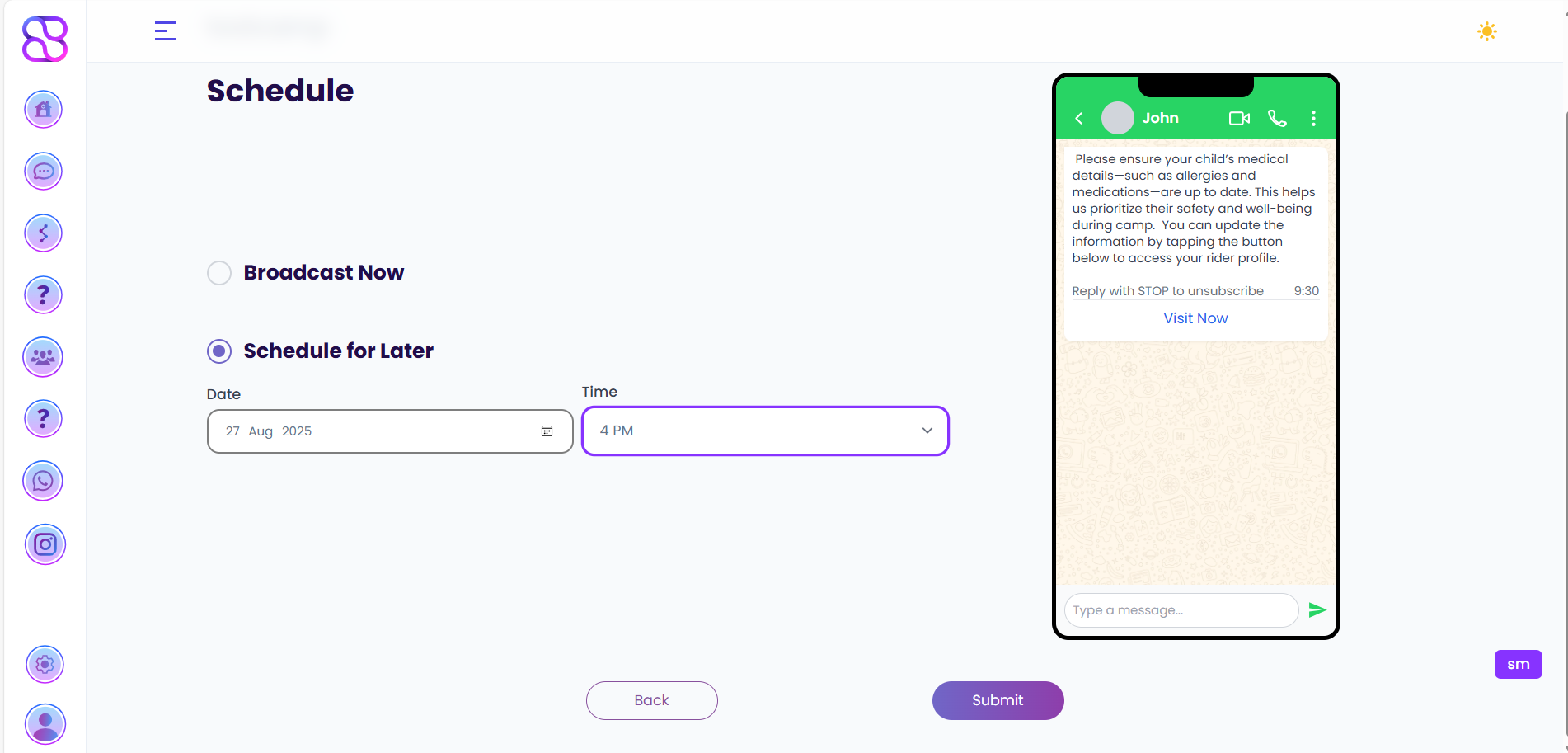
In the campaign setup, navigate to the Schedule section
-
Choose Schedule for Later
-
Select your preferred date and time
-
Set the timezone (defaults to your account timezone)
Editing Scheduled Campaigns
- Go to Campaigns > Scheduled
- Find your campaign and click Edit
- Adjust the date/time as needed
- Click Save Changes
Advanced Scheduling Options
Time Zone Optimization
- Enable Recipient Time Zone to send messages based on each contact’s local time
- Set a Time Window (e.g., 9 AM - 8 PM) to ensure messages aren’t sent too early or late
Recurring Campaigns
- Set up a recurring schedule (daily, weekly, monthly)
- Define the recurrence pattern
- Set an end date or number of occurrences
Best Practices
Do’s
- Test different sending times with small segments
- Consider time zone differences for international audiences
- Schedule important campaigns to avoid weekends/holidays
- Monitor and adjust based on open/response rates
Don’ts
- Don’t send too early or too late in the day
- Avoid scheduling back-to-back messages
- Don’t ignore your analytics - adjust based on performance
Troubleshooting
Common Issues
- Campaign didn’t send: Check your account status and template approval
- Wrong time zone: Verify your account and campaign timezone settings
- Message limits: Ensure you haven’t exceeded daily sending limits