
Create Custom Audiences
Leverage your chatbot data to create powerful, targeted audiences for your marketing campaigns. This guide will walk you through the process of creating custom audiences that automatically sync with your Meta Ad Account.
Prerequisites
Before creating custom audiences, ensure you have:
- Connected your Meta Business account (see Meta Connection)
- Sufficient conversation data in AI Chat Assist
- The necessary permissions in Meta Business Manager
Creating a New Audience
-
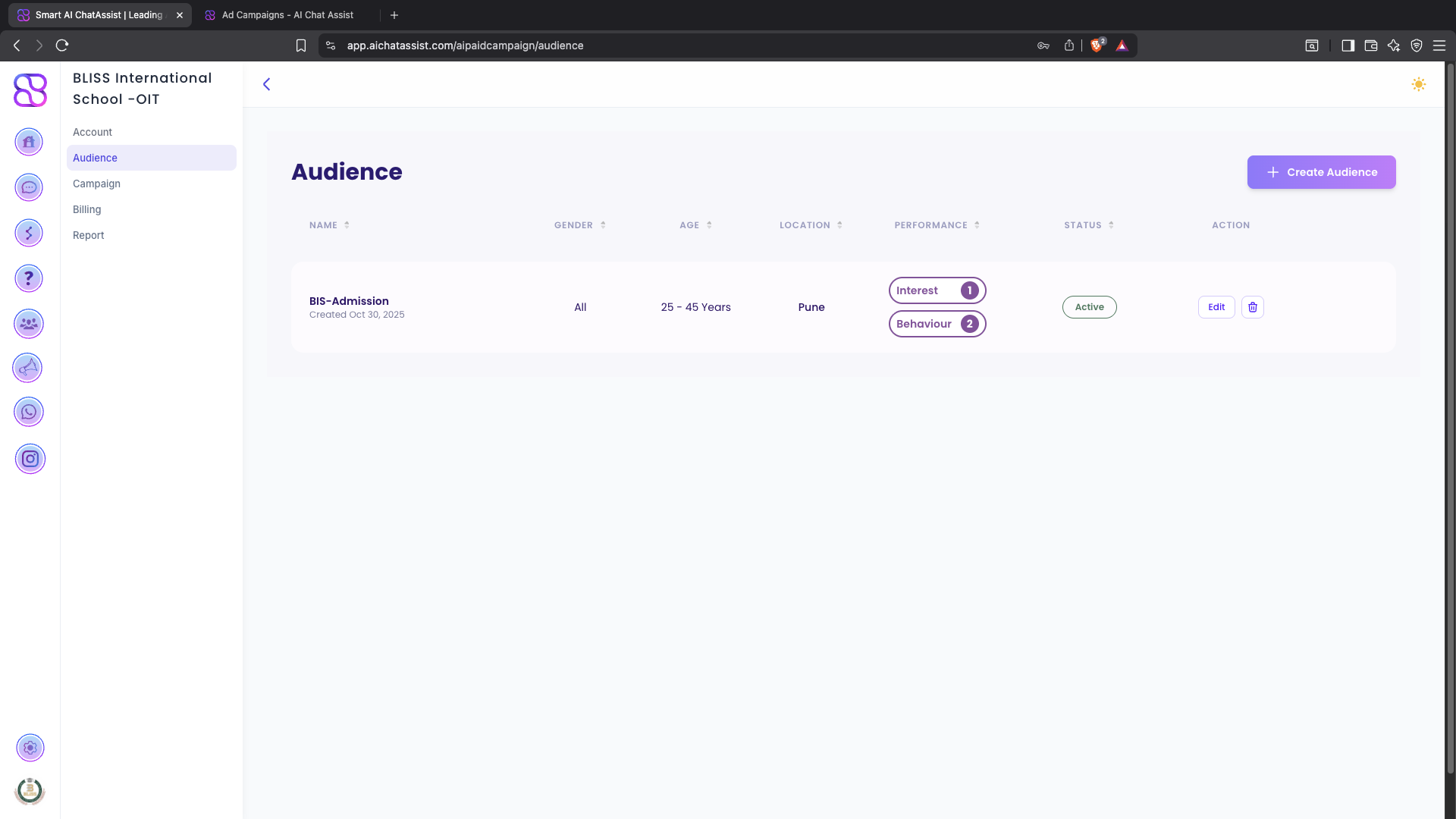
Go to Audiences > Create New in your AI Chat Assist dashboard
-
Select “Chatbot Data Source” as your audience source
-
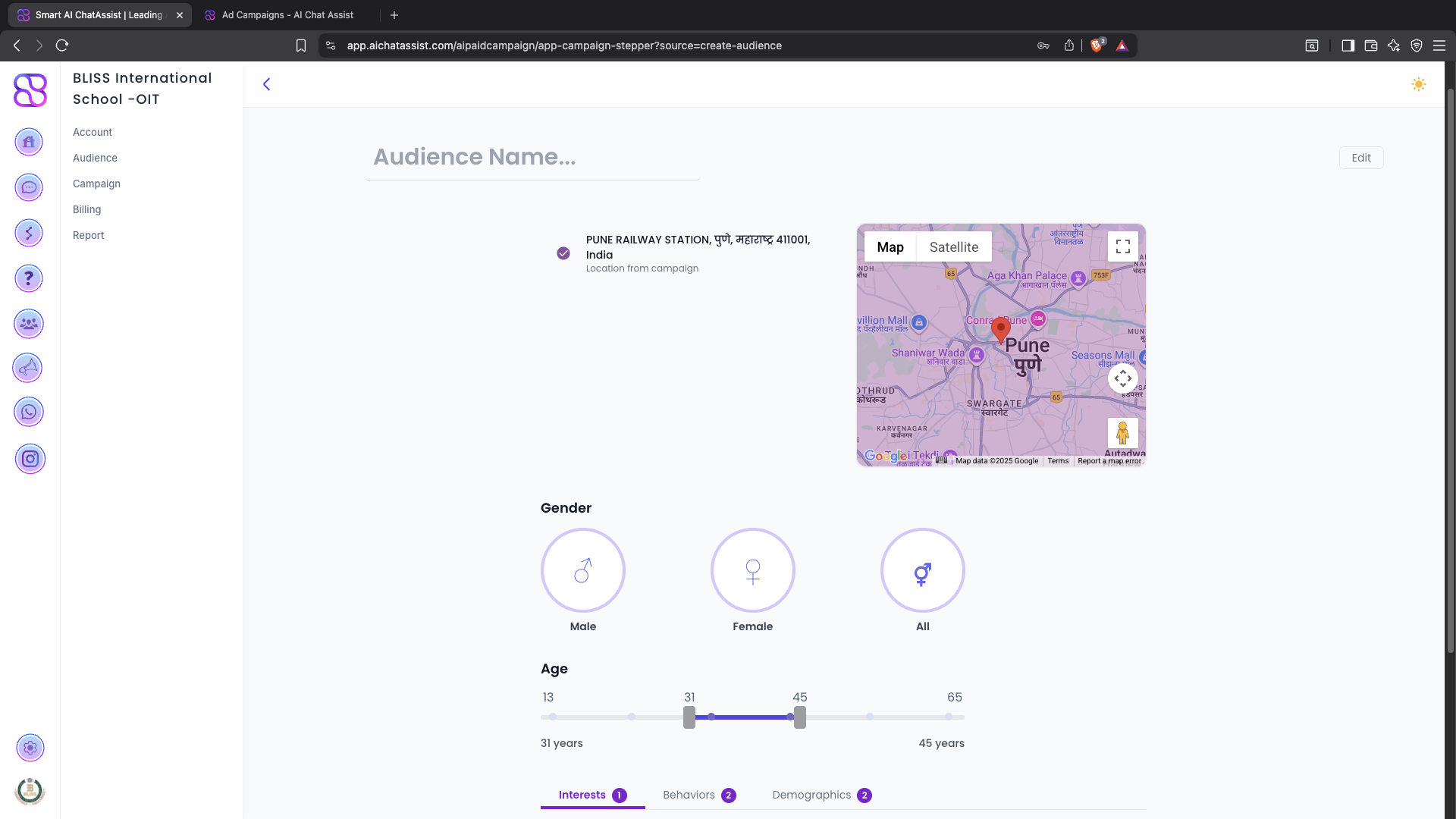
Choose from one of the pre-built audience templates or create a custom segment
-
Configure your audience criteria
-
Set the refresh frequency for your audience
-
Name your audience descriptively
-
Click Save Audience
Audience Templates
Pre-built Templates
-
Topic-based Audiences
- Target users who discussed specific topics with your chatbot
- Example: “Users interested in [Product Category]”
-
Purchase Intent Audiences
- Reach users who showed high purchase intent
- Example: “High-intent leads - [Product Name]”
-
Engagement-based Audiences
- Target users based on their interaction level
- Example: “Active chatters - 30 days”
-
Abandonment Audiences
- Re-engage users who didn’t complete key actions
- Example: “Cart abandoners - [Product Category]”
Best Practices
-
Naming Conventions
- Use clear, descriptive names
- Include date or version if relevant
- Example: “High-Intent Leads - Summer 2025 - v2”
-
Audience Size
- Minimum recommended size: 1,000 users
- Maximum recommended size: 1,000,000 users
- Split very large audiences for better targeting
-
Refresh Frequency
- More frequent updates for time-sensitive campaigns
- Less frequent for stable audience segments
Privacy & Compliance
Ensure your data sharing practices comply with privacy regulations and that you have proper consent from users before creating audiences based on their data.
- Document your audience creation criteria
- Maintain records of user consent
- Provide clear opt-out mechanisms
- Regularly audit your audience segments