
Budget & Billing
Spend and Balance
Budget & Billing
Spend and Balance
Monitor and manage your advertising spend and account balance in real-time
Billing Section Features
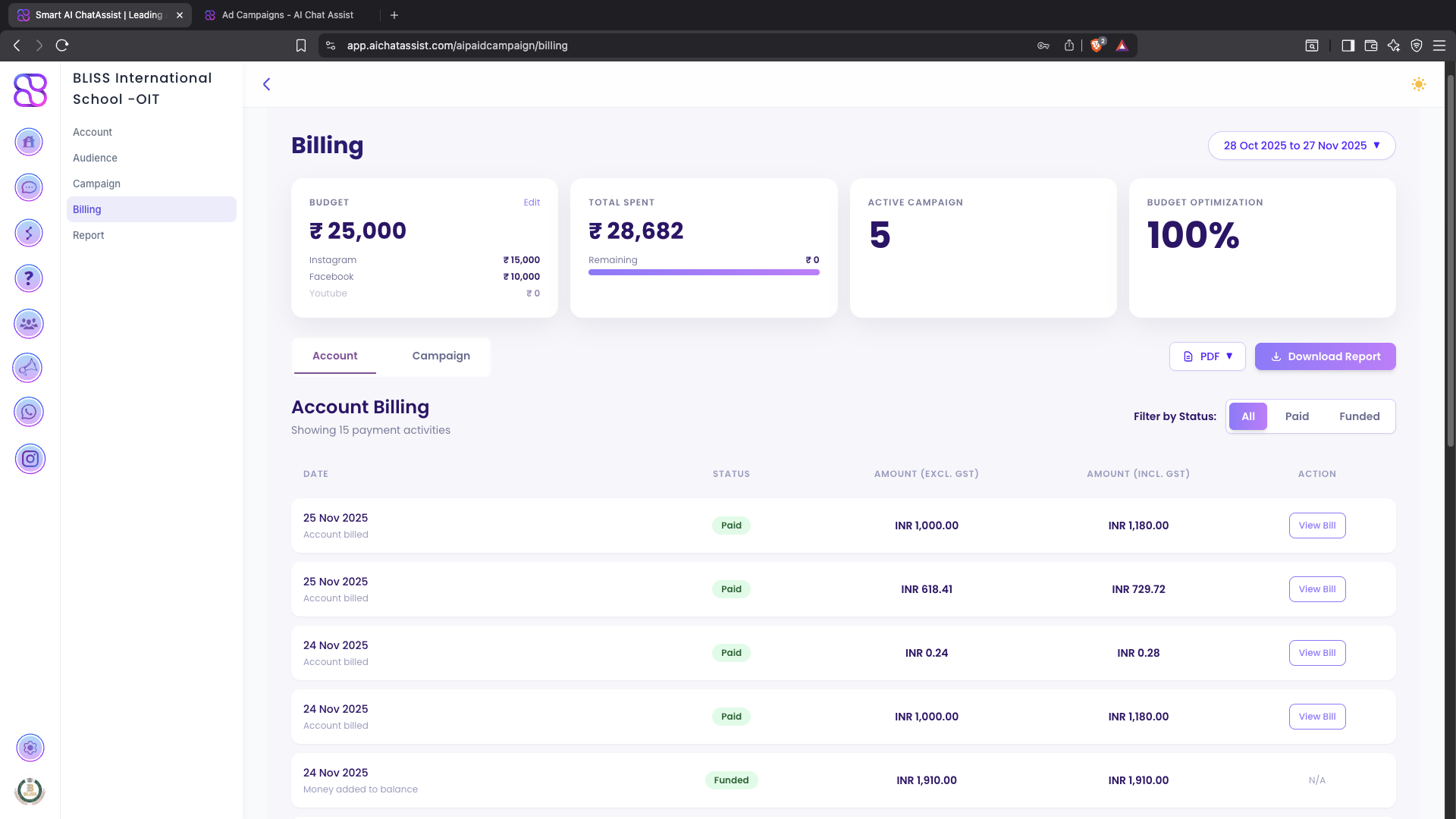
The Billing section helps you:
- Track connected Ad Account billing
- View current balance
- View payment history
- See total ad spend across campaigns
- Monitor campaign-wise spend
Billing Page Layout
You will typically see:
- Total Spend card
- Billing Cycle Dates
- List of Charges / Transactions
- Breakdown by Campaign for quick cost analysis
Monitoring Your Spend
Real-time Spend Tracking
- Daily Spend Limit: $[Amount]
- Monthly Spend Limit: $[Amount]
- Current Day’s Spend: $[Amount]
- Current Month’s Spend: $[Amount]
Understanding Billing
Billing Cycle
- Current Billing Period: [Start Date] to [End Date]
- Next Billing Date: [Date]
- Billing Method: [Credit Card/PayPal/Bank Transfer]
Payment Methods
- Primary Payment Method: [Card ending in XXXX]
- Backup Payment Method: [Card ending in XXXX/None]
Troubleshooting
Common Issues
- Pending Charges: Why they appear and when they’ll clear
- Declined Payments: How to resolve payment issues
- Discrepancies in Spend: Understanding reporting delays